

Furniture OS: a production system for a furniture workshop
An internal system for a furniture and wood-carving workshop: orders, part and material specifications, BOM, cost and quote price, technologist approval, PDF documents, time tracking and payroll. Alongside it, the workshop's public website, where an inquiry goes straight into the system.
The idea and the problem
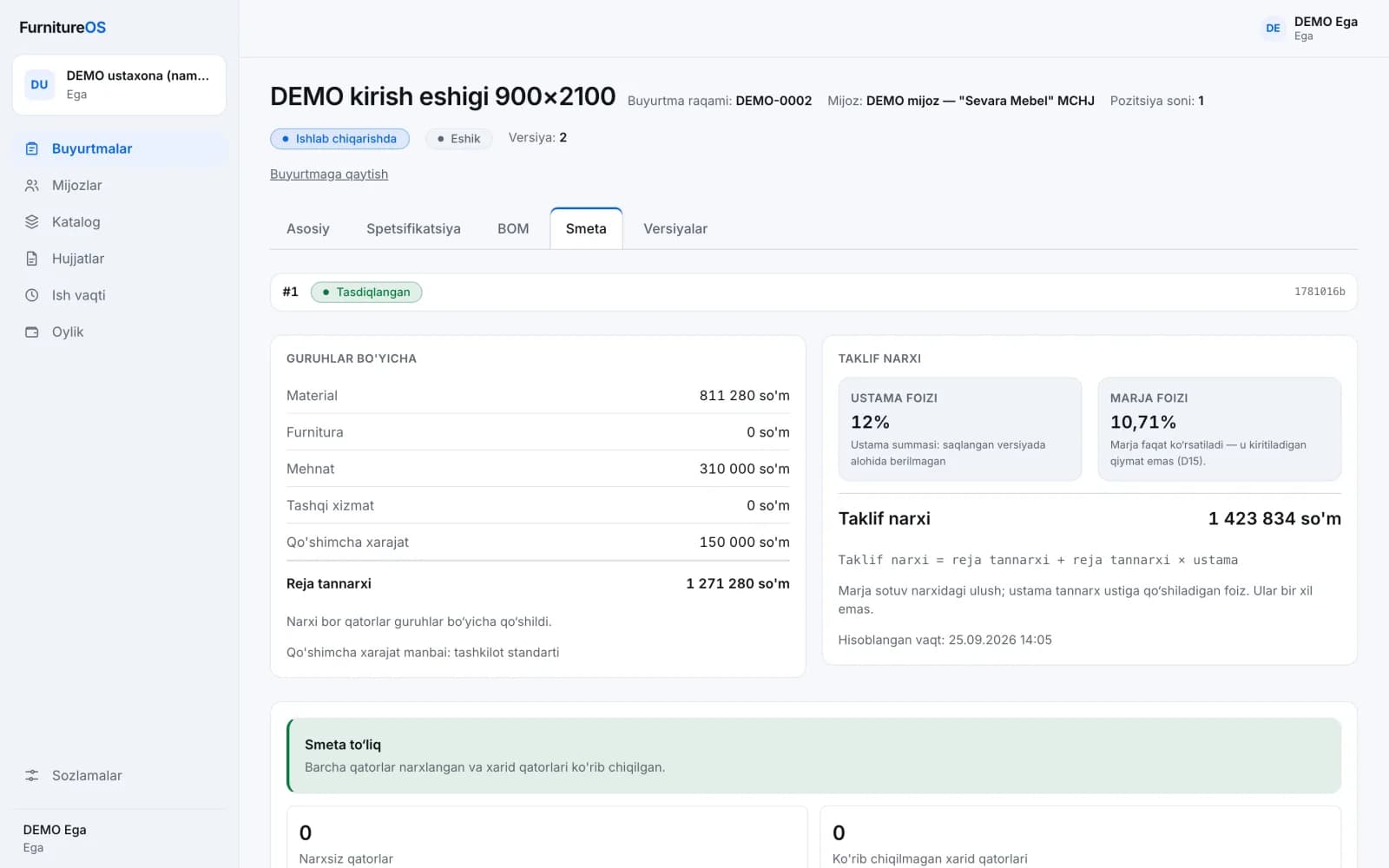
Furniture OS is our studio's own product, currently in development. In a furniture and wood-carving workshop, an order is often priced by hand from a parts list, adding up materials, waste, labour and overheads separately. In that kind of calculation, a material with no known price easily becomes zero, and the price quoted to the customer later drifts from the updated specification. The idea: parts and materials are entered once, the BOM, cost and quote price are calculated from that data, and only a version approved by the technologist goes into production.
What we're building
We are building the product from scratch ourselves: the requirements and decisions document, interface design, a NestJS API with a PostgreSQL database, a calculation core in its own package, an internal Next.js web app, PDF document templates, a Telegram bot and the workshop's bilingual public website.
Constraints
- A calculation error is a direct loss: a material without a price must never become zero, and an approved calculation must not break when prices change later.
- If two people edit the same specification at once, neither may silently overwrite the other's work.
- It's a closed system: a handful of staff work in four roles (owner, manager, technologist, worker), and each can do only their own actions.
- The public website faces the internet and is treated as untrusted, so it never connects to the internal system's database directly.
- The interface is in Uzbek and money is in som.
Key decisions
- Calculation in a separate core. Cost calculation lives in its own package with no external dependencies: the same data always gives the same result, and the core is tested separately from the API.
- An unknown price is not zero. A material with no price stays in the estimate as a “line without a price”, and the estimate can't be approved. The catalog lists unpriced items separately.
- Waste and purchase quantity. The BOM works out net usage, waste factor and purchase quantity for each material. For materials such as solid wood, a version can't be approved until the technologist has reviewed the purchase quantity.
- Versions are frozen. Each calculation is saved as a version and sealed with a content hash: if a catalog price changes later, the approved version stays the same.
- Two kinds of approval. Only a version approved by the technologist goes into production. The customer's agreement to the price is recorded separately and doesn't open that gate.
- No change goes untracked. A specification is saved in one request, a concurrent edit is stopped with a conflict and typed input isn't lost. Every change after an approved version needs a reason, and actions go to the audit log.
- Website inquiries aren't lost. An inquiry is first written to a queue in the website's own database, and a separate process moves it into the internal system as a customer and an order. If the internal system is briefly down, the inquiry is kept.
- Documents are rendered on the server. The quote, parts list and production card are generated as PDFs on the server. Each document's footer carries the order number, version, hash and approval status.
How the product works
A manager opens an order and adds items to it: a door, table, chair, staircase or cabinet furniture. Each item's specification holds parts (with finished and rough dimensions), materials, hardware and operations. From these the system calculates the BOM and the estimate: materials, hardware, labour, outside services and overheads, planned cost and a quote price with markup. The technologist approves the version, the manager issues a quote to the customer, and once the customer agrees the item goes into production.
The catalog holds materials, hardware, operations, the waste policy and price history, and materials can be imported from a file. The time section records and approves workers' daily hours. The payroll section calculates a month from hourly rates, with advances and bonuses, and freezes it once closed. Settings cover the team, invitations and the audit log. Sign-in and time entry through a Telegram bot are built too, but haven't been tested with real Telegram yet.
The workshop's public website is bilingual (Uzbek and English): a story page, a catalogue of five lines (doors, carved chairs and tables, furniture, staircases), the customer's project folder, a three-step inquiry form and a manager panel. An inquiry becomes an order in the internal system, and its status flows back to the site, where the customer can follow it on a tracking page. The site's brand name and photos aren't ready yet, so only the internal system's screens are shown here.
Where it stands
The product is in development: the pilot hasn't started, nothing is deployed and there are no business metrics. The first stage of the internal system is built: the flow from order to PDF document, the catalog, approvals, time tracking and payroll. The API and web app are covered by automated tests. Next up: checking calculations against the technologist's real hand calculations, parametric templates, a phone screen for workers and production tasks.
Screenshots were taken with a temporary demo database: the organisation, customers, materials, prices and rates are made up and marked “DEMO”.
Screens
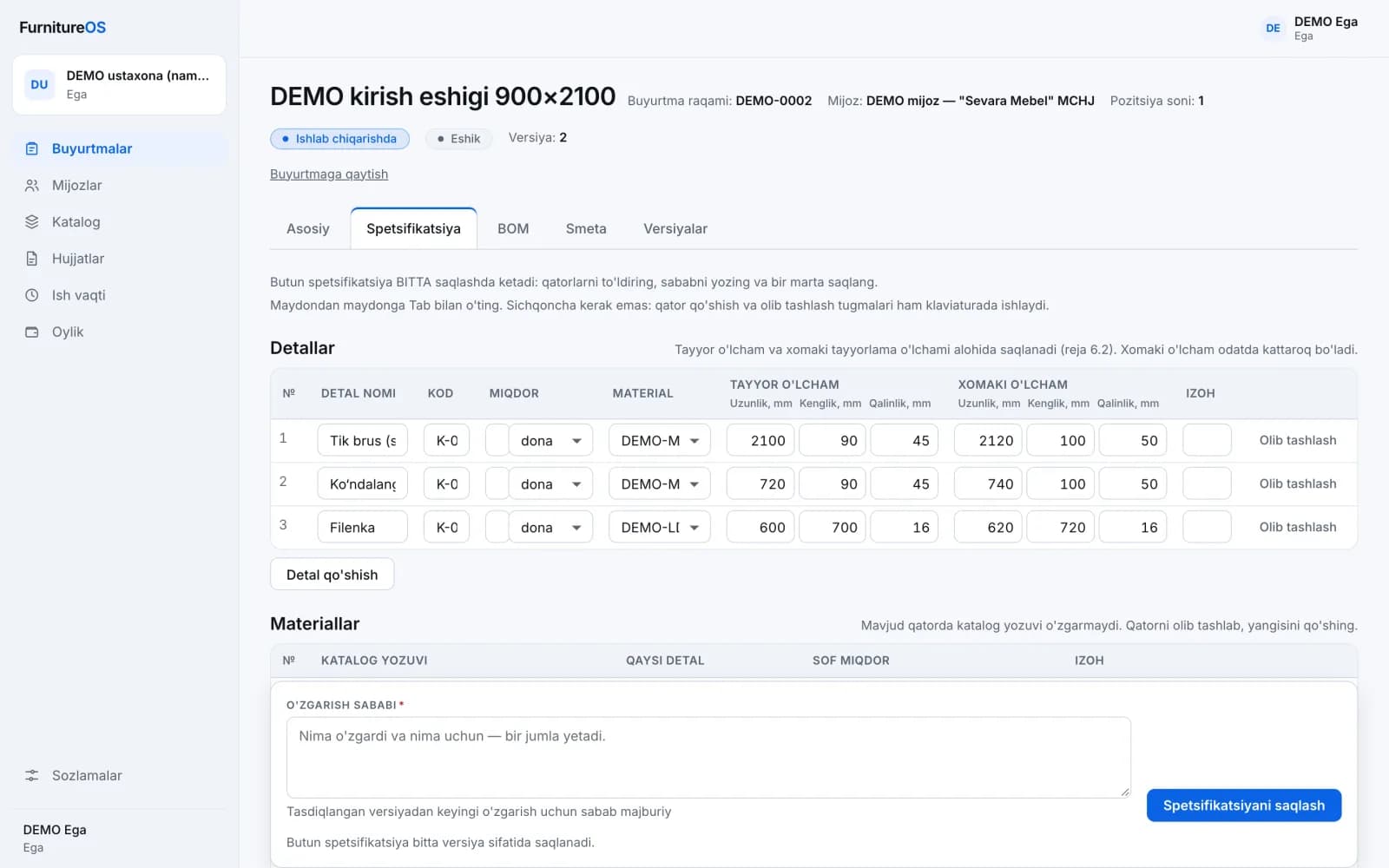
Specification: parts with finished and rough sizes
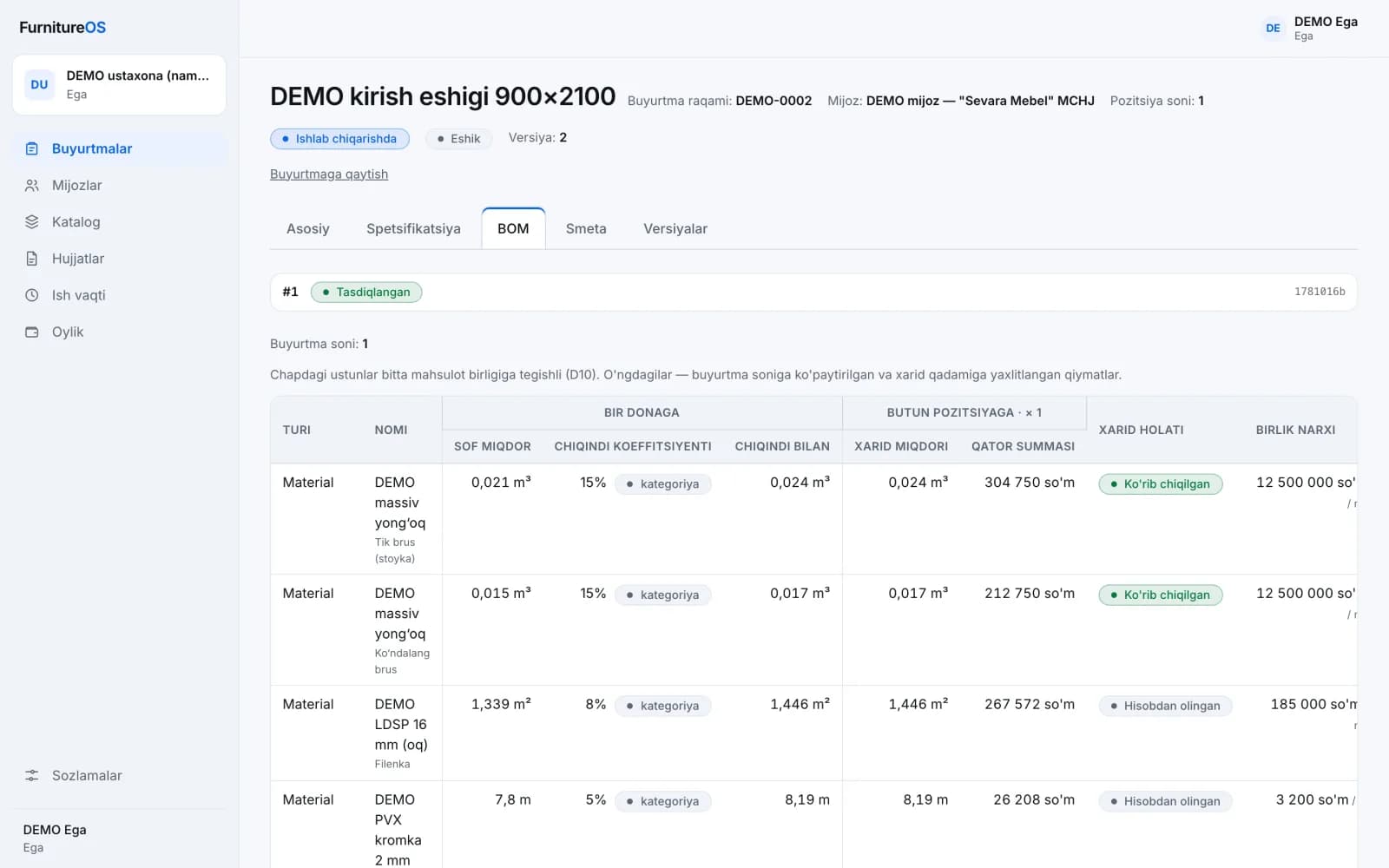
BOM: with waste and purchase quantity
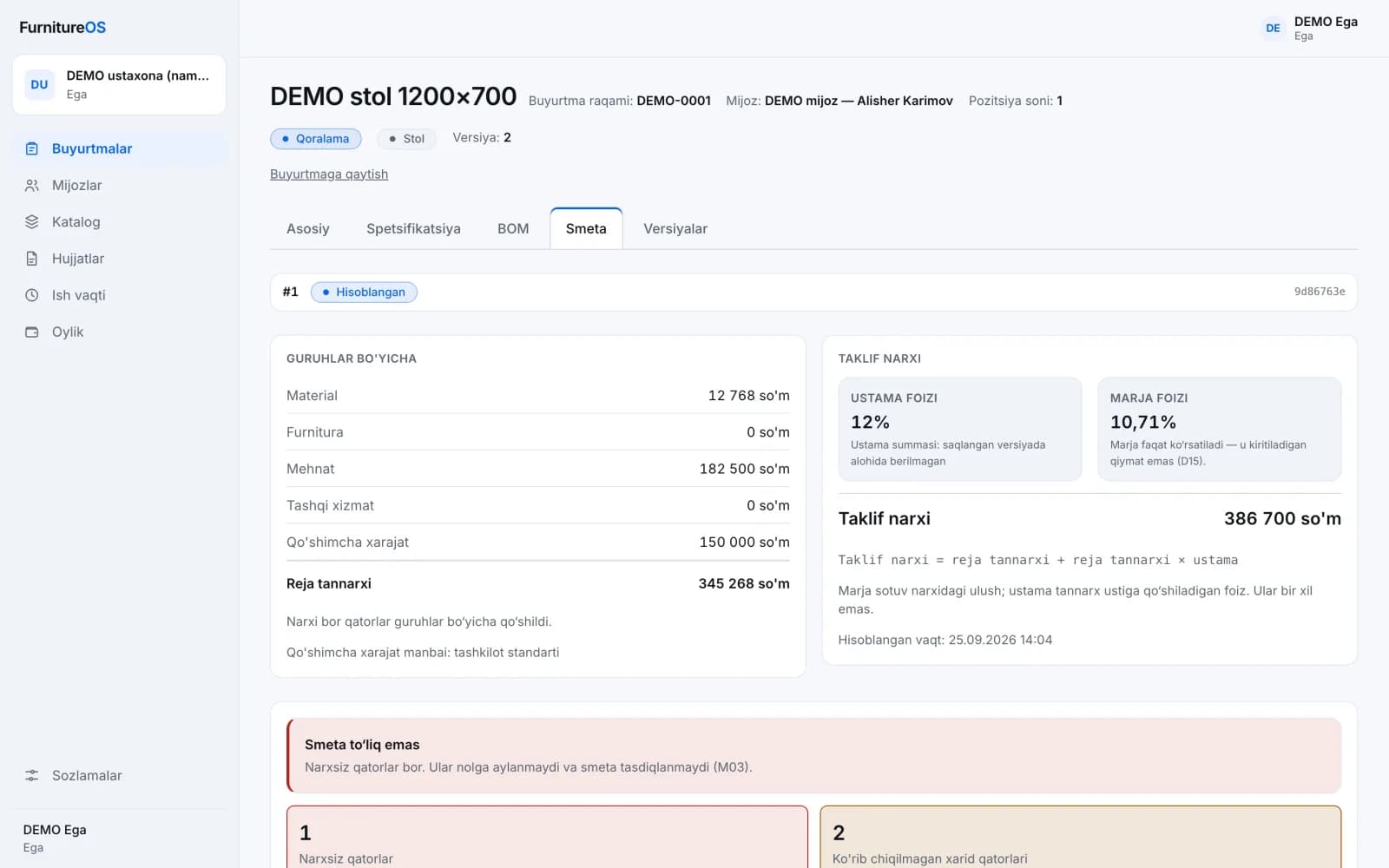
A missing price never becomes zero: the estimate can't be approved
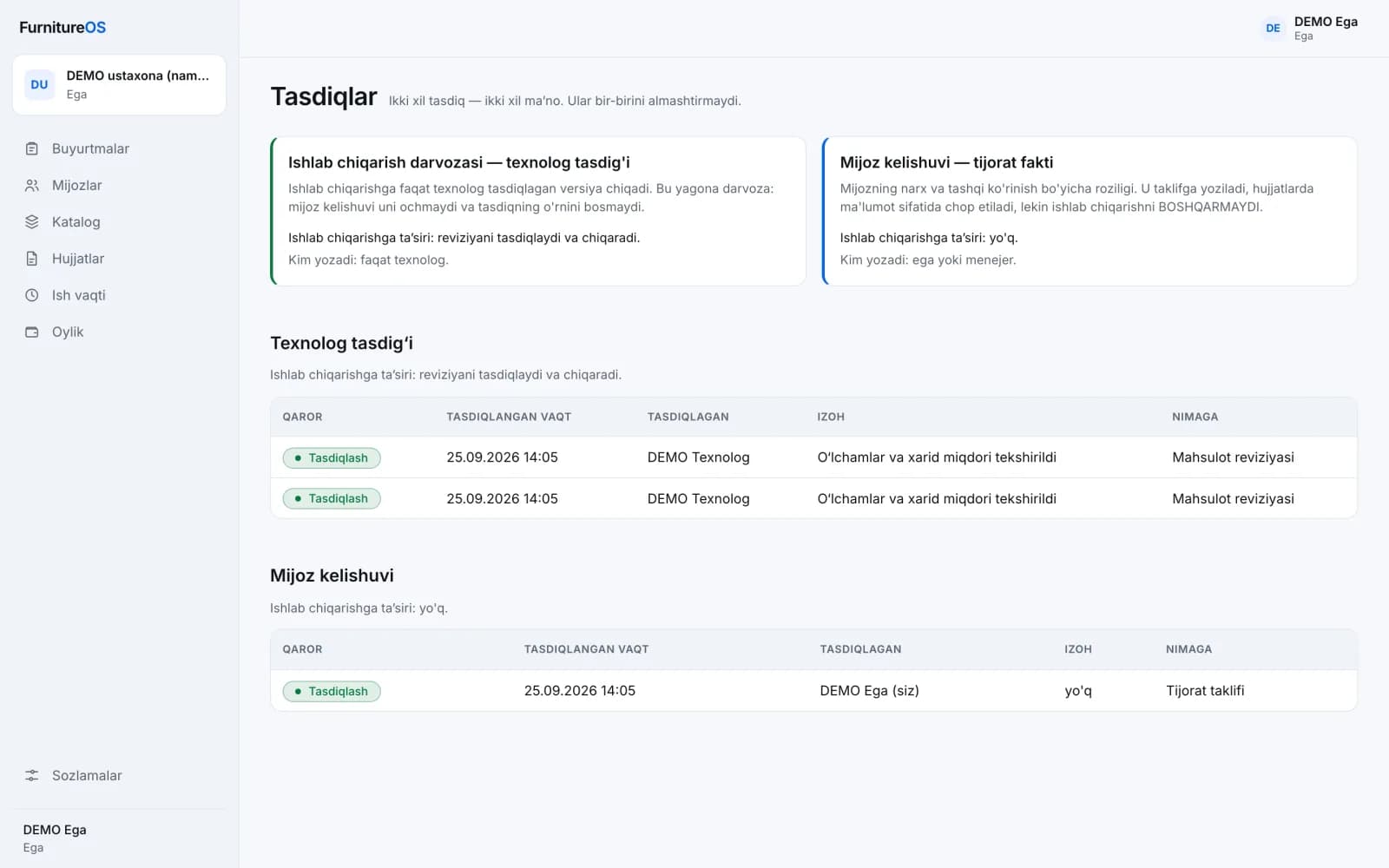
Two kinds of approval: technologist and customer
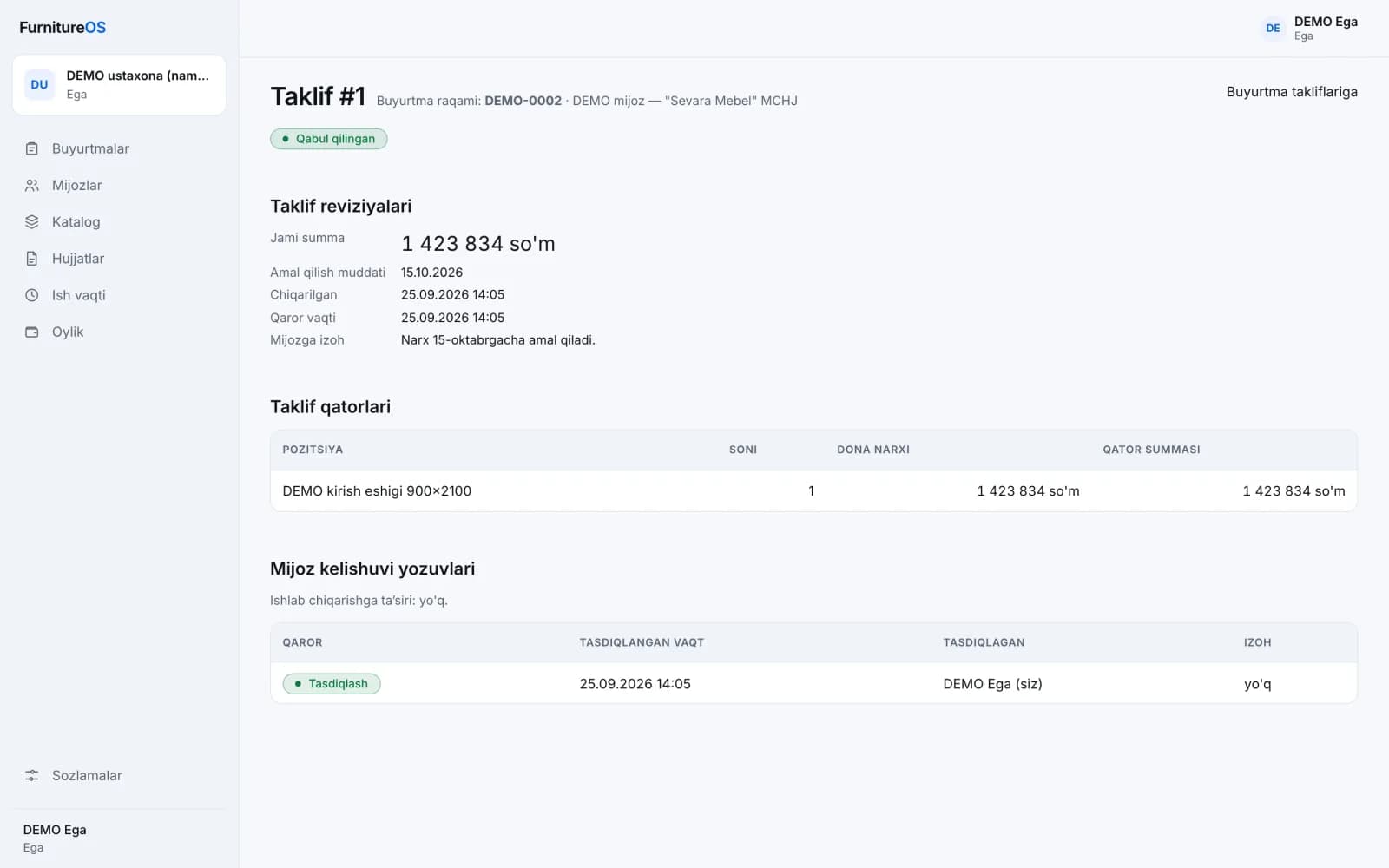
Quote and customer agreement
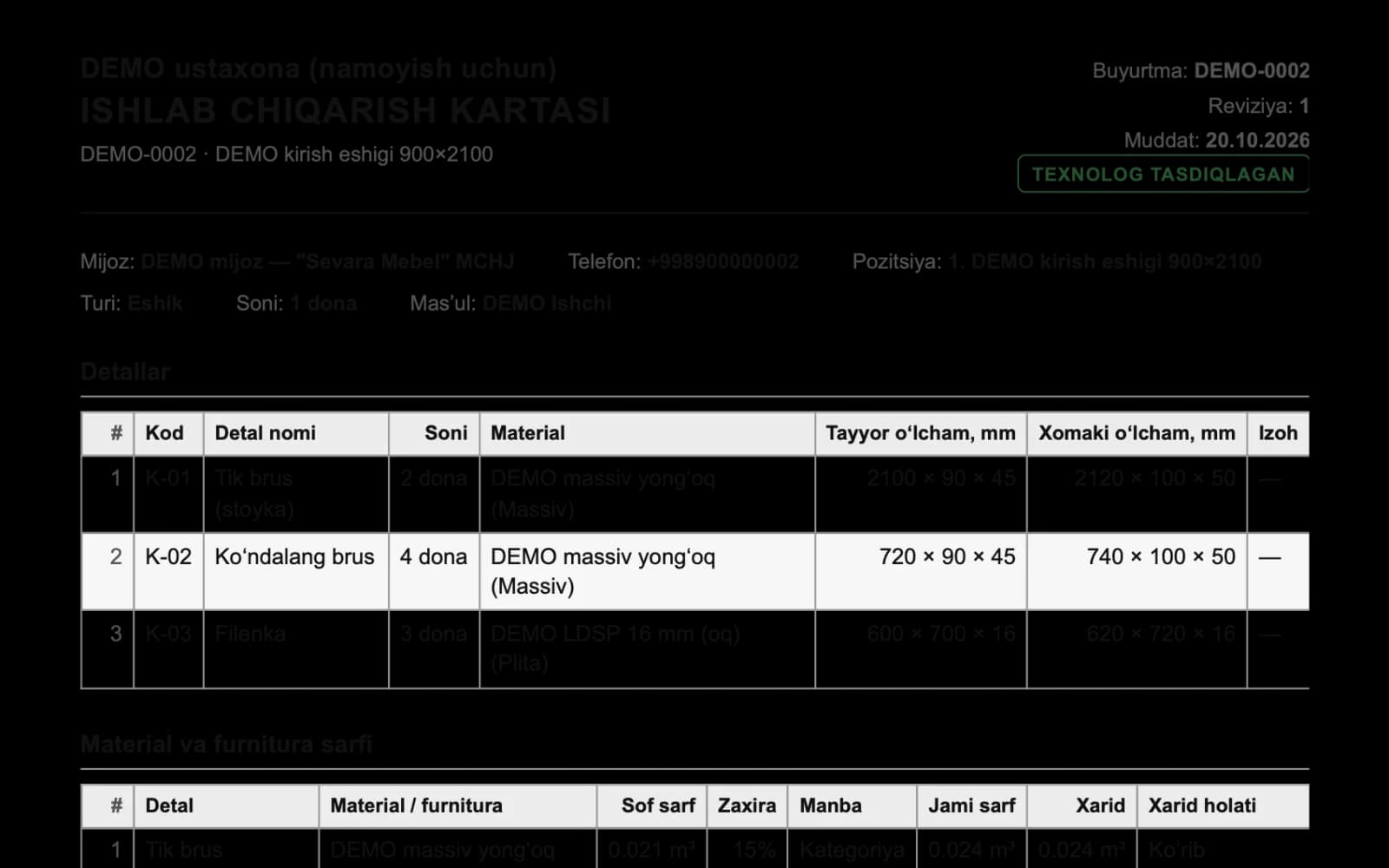
Production card: only from an approved version
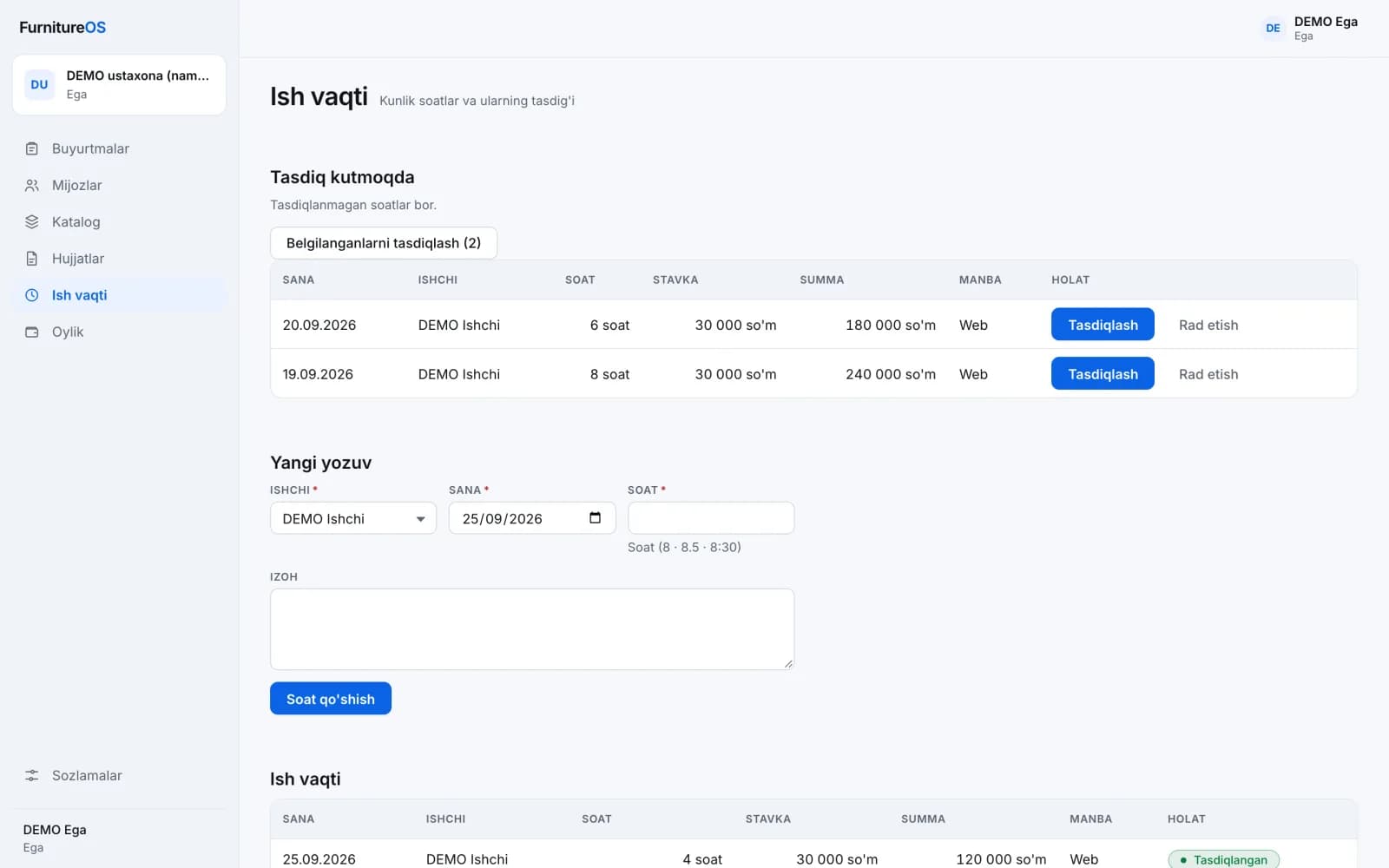
Time tracking: daily hours and approval
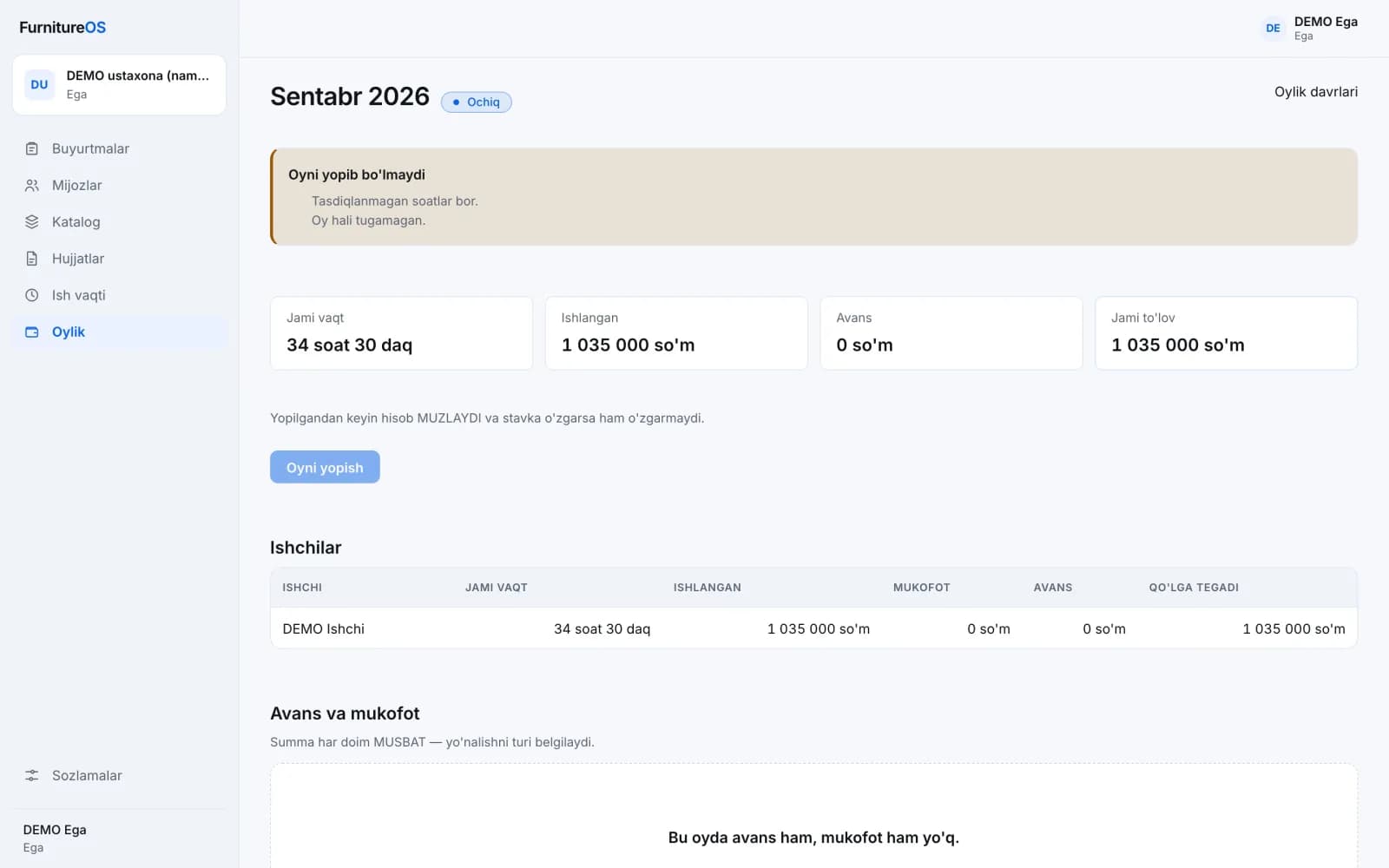
Payroll: once a month is closed, it's frozen
Need a product like this?
In a short call we'll discuss your idea and suggest the next step.